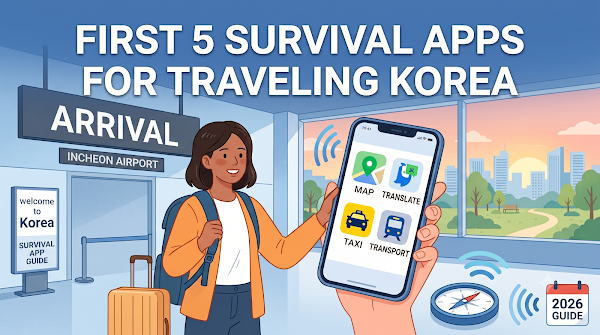
Prepare apps for navigation, taxis, translation, subway planning and dining before departure. Check the current developer listing for your phone and region; setup, language support and paid services differ.
Quick Reference: 5 Must-Have Korea Travel Apps
| App | What it's for | Best feature | English? |
|---|---|---|---|
| Naver Map | Navigation & transit | Accurate walking/subway/bus routes | Yes |
| Kakao T | Taxi / ride-hailing | Upfront fares, cashless payment | Yes |
| Papago | Korean translation | Camera menu translation | Yes |
| Subway Korea | Metro timing | Best car to board + check offline features before travel | Yes |
| Catch Table | Restaurant reservations | Join waitlists as a foreigner | Yes (global version) |
1. Naver Map (네이버 지도) — Your Ultimate Navigation Tool
Use Naver Map or KakaoMap to check routes and Korean place names. Save your hotel address and compare current directions with local signs.
Key features: Highly accurate, real-time subway schedules, bus arrival times, and step-by-step walking directions in English.
Insider tip: Download offline maps of major cities like Seoul and Busan inside the app to save mobile data while you explore.
Download: App Store · Google Play
2. Kakao T (카카오 T) — The Uber of South Korea
Kakao T is one option; international visitors can also use Kakao Mobility’s k.ride service. Check service availability and payment methods for your route.
k.ride supports international-facing booking and payment. Review the estimate, vehicle and cancellation terms before requesting a ride.
Insider tip: Register your international credit card directly in the app for automatic payments, so every ride is completely cashless.
Download: App Store · Google Play
3. Papago (파파고) — The Best Korean Translator
Why you need it: Many younger people in Seoul speak English, but you will hit language barriers at local restaurants, traditional markets, or with taxi drivers.
Papago offers text, voice and image translation. Review important translations with a person when accuracy matters; no automatic translator guarantees a correct allergy or medical message.
Insider tip: Use the camera feature to scan physical menus at local restaurants—it translates the text on your screen instantly.
Download: App Store · Google Play
4. Subway Korea (지하철 노선도) — For Perfect Train Timing
Why you need it: Seoul's subway system is massive and can overwhelm first-timers. This app makes it simple.
Key features: Fastest routes, which train car to board for the quickest transfer, and an alert when your station is approaching so you never miss your stop.
Insider tip: It works perfectly offline—a lifesaver when your pocket Wi-Fi or eSIM briefly loses signal underground.
Download: App Store · Google Play
5. Catch Table (캐치테이블) — For Dining & Café Waiting Lists
Why you need it: The trendiest restaurants and cafes in Seoul (think London Bagel Museum or famous K-BBQ spots) often mean long lines or a waiting-list registration.
Key features: The global version of Catch Table lets foreigners book reservations or join a remote waitlist using an international phone number.
Insider tip: Check the app before heading to a popular spot in Seongsu-dong or Hongdae—you can often skip the line by booking ahead.
Download: App Store · Google Play
Bonus: Connectivity, Transit & Entry (2026 Update)
To use every app above the moment you step off the plane, sort out three things before and right after you land:
1. Arrange data access. Check your SIM/eSIM activation conditions and device support before travelling; save essential addresses offline where possible.
2. Check entry requirements for your own passport and status. Use our entry guide; not all visa-free nationalities share the same exemption.
3. Grab a T-money card. Once your apps are downloaded, buy a transit card at the airport convenience store for subways, buses, and even some taxis. Learn how to buy and top it up in our T-money Card Guide.
Frequently Asked Questions
Which navigation app should I use?
Compare current local routes in Naver Map or KakaoMap and save destination names in Korean. Features can change, so this guide no longer claims that Google Maps has no working Korean navigation.
Are these Korea travel apps available in English?
Check each app’s current language settings and the correct regional/global edition. Restaurant availability and interfaces can differ between domestic and international versions.
Do I need a Korean phone number to use them?
Account verification depends on the service and country code. Test registration before departure and keep access to verification messages. A tourist number does not necessarily enable resident identity verification.
Do I need a K-ETA to enter Korea in 2026?
Check the official portals for your nationality and status. The entry guide explains the current notice and arrival declaration.
Are all of these apps free to download?
Check the current store listing. Download fees, optional purchases, taxi charges and restaurant deposits are separate; free installation does not mean all services are free.
Got your apps installed and entry sorted? Now plan where to go next with our Perfect 7-Day Seoul Itinerary.