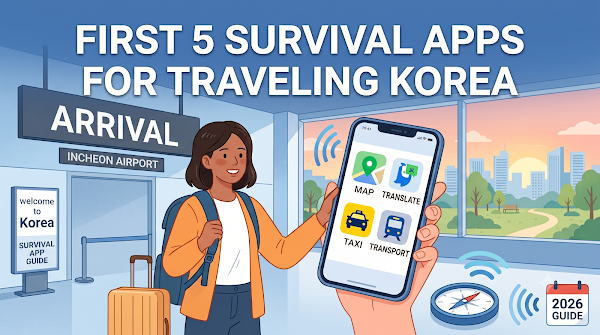
Finding the right building is easier when you save its Korean address, confirm the map pin and check the entrance before you set out.
Save more than an English place name
Ask your accommodation for its Korean name, full Korean address and a map link. Save a screenshot as well as the text so you can show it when your connection fails. Keep the phone number and check-in instructions beside the address.
English spellings can vary, and several businesses can share similar names. Compare the address and neighborhood before accepting the first search result. For apartments or small guesthouses, ask which entrance, floor and building name you should look for; the map pin may only identify the street frontage.
Choose a map you can use confidently
NAVER’s official product announcement describes multilingual map support, including English. Install and try your chosen app before arrival. Search for your hotel, your airport terminal and one attraction, then check whether you understand the route instructions.
Do not assume that changing the interface language translates every business label, review or notice. Save the Korean address even when the English result looks clear. Read our travel apps guide to prepare your broader phone toolkit.
Station exits matter
A station name alone is not a complete walking route. Note the exit number closest to your destination and check which side of the road it reaches. If you have a suitcase or need step-free access, look for a suitable lift route rather than assuming the nearest numbered exit is accessible.
After leaving the station, pause to orient the map. Compare a visible intersection or building with the route before walking. Recheck if the app recalculates unexpectedly; a short straight line on the map can still involve a large road or a difficult crossing.
For taxis and deliveries
Show the destination’s Korean address and map together. If the entrance is on a smaller side street, include that detail. For a pickup, check the actual pickup point in the booking rather than relying on your current blue location dot.
For a food delivery or parcel, use the accommodation’s instructions and ask whether deliveries are accepted. Avoid posting room numbers, door codes or a complete private address in a public community question.
A quick arrival check
- Confirm the destination pin belongs to the correct branch.
- Save the Korean address offline.
- Check the station exit or taxi drop-off point.
- Read the entrance and reception instructions.
- Keep a contact number available if the entrance is unclear.
If you arrive late, pair this checklist with our late-night arrival plan. Do not follow a route into a closed alley or private building simply because it appears on a map; contact the accommodation for clarification.
If you need a route without steps or other access features, use our accessible Seoul planning checklist to check the whole journey and the exact entrance.
For practical medical-service arrangements, find official clinic and pharmacy contacts before travelling. For a medical emergency in Korea, call 119.
Related practical checklist: Delayed Baggage at Incheon: What to Do Before Leaving the Airport.